LIBRARY LENS

OVERVIEW
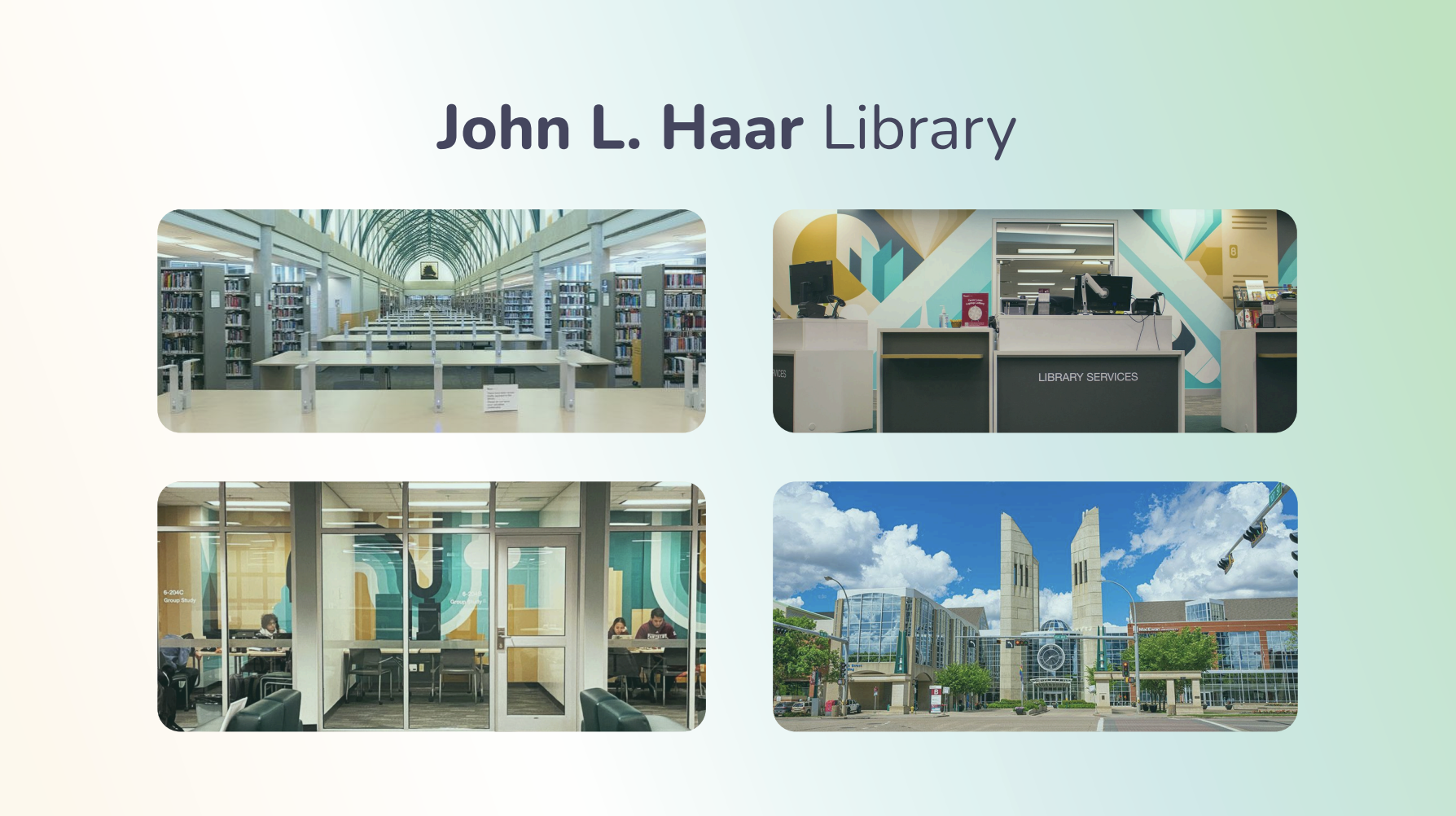
Challenge: How might we use VR, AR or AI to enhance navigation, exploration, and engagement within the John L. Haar Library while ensuring inclusivity and accessibility for diverse students?

Solution: We designed a mobile AR experience that transforms the library into an game-based navigation system delivered through the user’s phone camera. Using real-time GPS tracking, a beginner-friendly HUD, AI studdy assistant, and voice narration, the app guides students through physical spaces and resources in an intuitive and engaging way. A personality-driven penguin character provides narrative voice prompts, making the interface feel supportive and playful rather than technical. Visually, the interface follows a soft glassmorphism style to integrate seamlessly with AR overlays while maintaining clear hierarchy and readability. Teal and yellow accents picked from the library’s study rooms pair with calming greens to reduce study anxiety and promote focus. Clear onboarding, simplified navigation, diverse study methods, accessible voice support, and minimal cognitive load ensure the experience is inclusive and easy to use for first timers. For future development the app can scale and adapt to different libraries across the globe.
CLIENT
JOHN l.HAAR LIBRARY
TOOLS
FIGMA
CAPCUT
ICONS8
TEchnology
AUGMENTED REALITY
Artificial intelligence
TEAM
KOside o. (RESEARCH, DESIGN, ILLUSTRATIONS, USER TESTing)
JIHAN O. (RESEARCh, PROTOTYPE, VIDEO EDIT, USER TESTing)
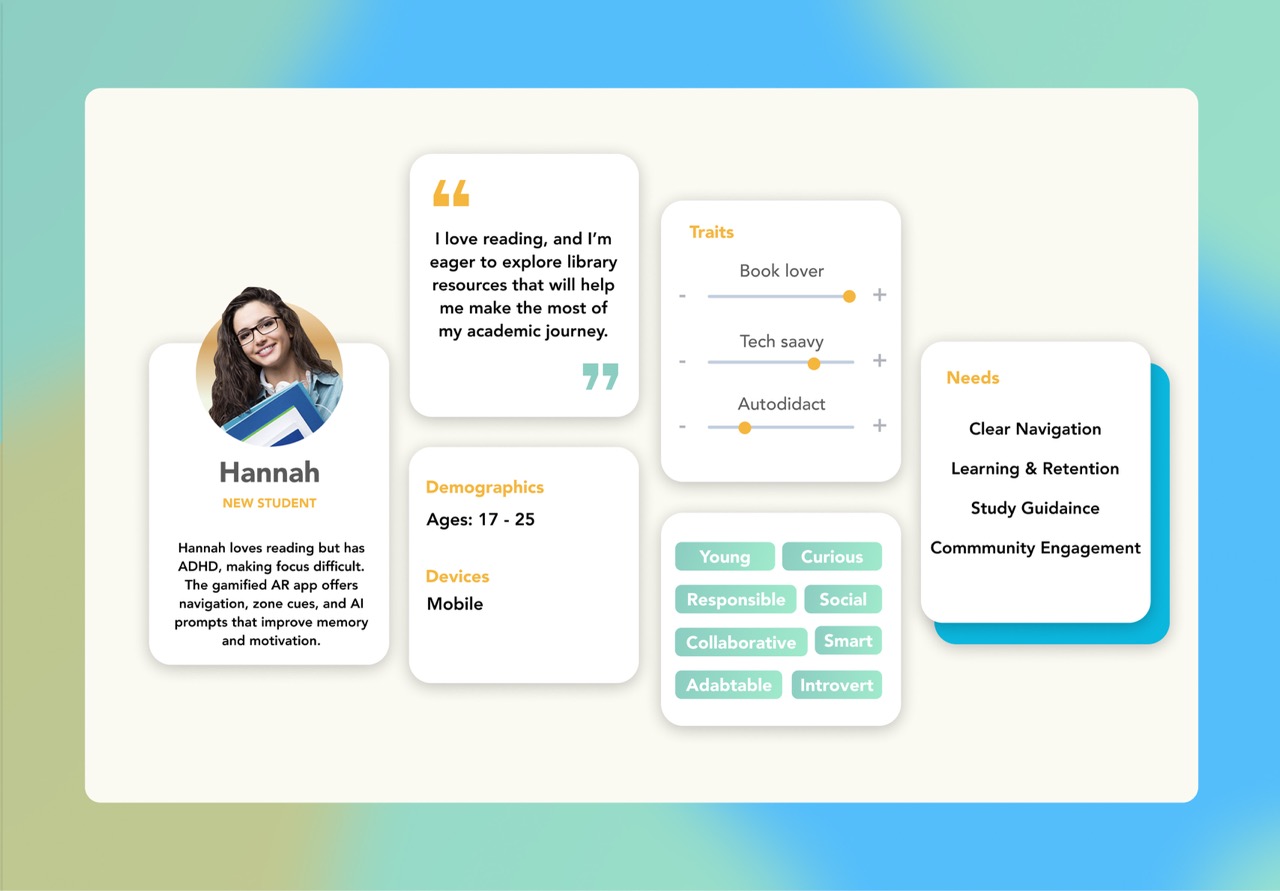
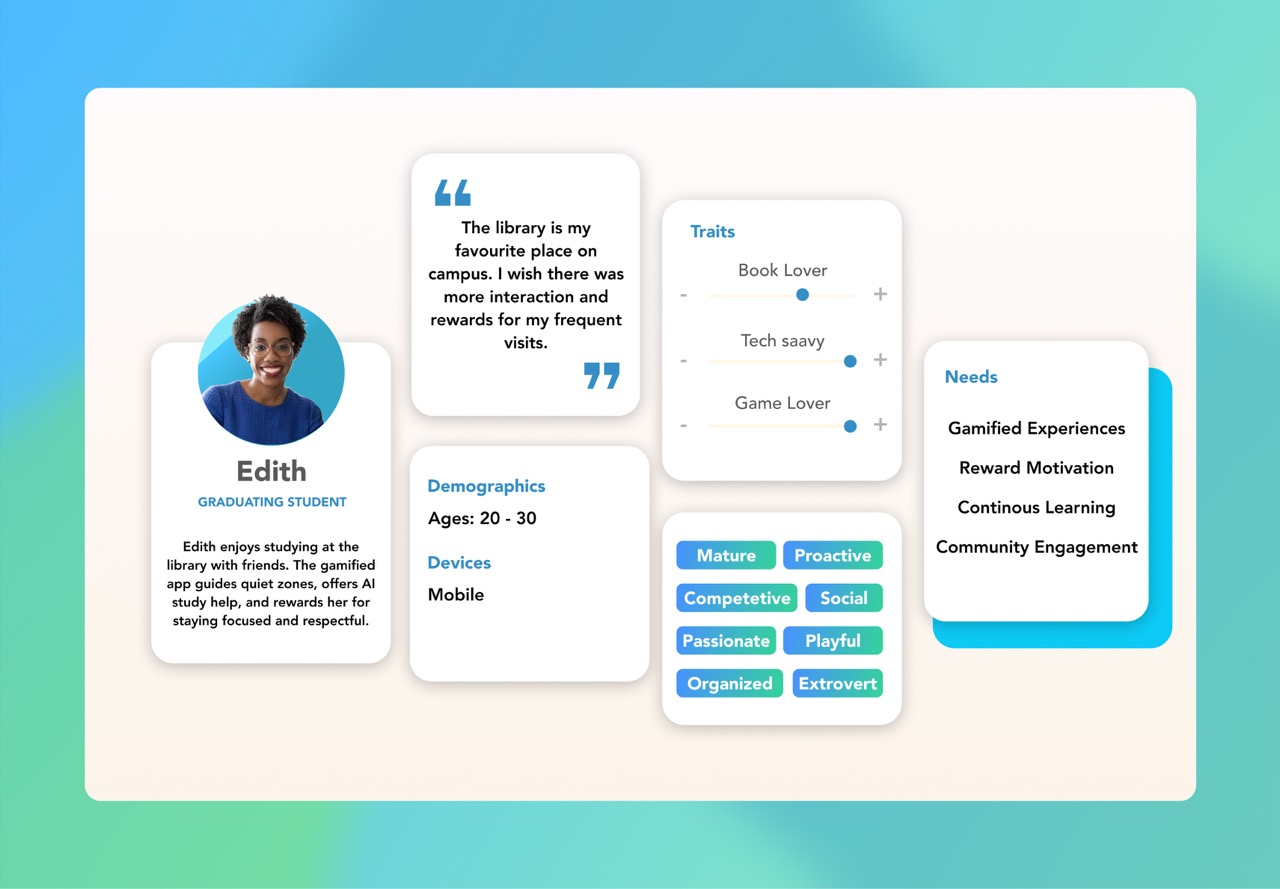
Four mobile app screens for Library Lens: loading screen with a penguin wearing glasses and graduation cap; learning goals selection with options; dashboard showing active classes and recommended assignments; AR navigation inside cameraCollage of four photographs of John L. Haar Library including interior rows of bookshelves and study tables, library reception with colorful mural, group study rooms with mural walls, and sunny exterior view of the library building Four colorful mind maps labeled Book Tracker, Gamified Experience, Zone Indicator, and AI Assistant, each visualizing library challenges, navigation, digital system usability, accessibility, and engagement with connected sticky notes'User Statement' and 'Main Objective'. User Statement: 'As a student, I want to use the library’s resources to its full potential, so I can improve my academic experience.' Main Objective: 'To create an impactful, immersive learning experience that enhances navigation, reduces library anxiety, and supports active study techniques.'Profile of Hannah, a new student aged 17-25 with ADHD who loves reading; traits include book lover, tech savvy, autodidact; needs clear navigation, learning retention, study guidance, and community engagement.Persona profile of Edith, aged 20-30, a graduating student who enjoys studying at the library; traits include book lover, tech savvy, and game lover; needs include gamified experiences, reward motivation, continuous learning, and community engagementFlowchart titled 'Task Flow' illustrating step-by-step user interaction in an app starting from referral, app launch, login, map filtering, AR map and HUD display, to AI test creation with decision points and user actions.